OPTIONS & SETTINGS
System Settings - Account










To open the Account panel press the F10 function key on your keyboard. This page displays information related to your Image Line Account including FL Cloud.
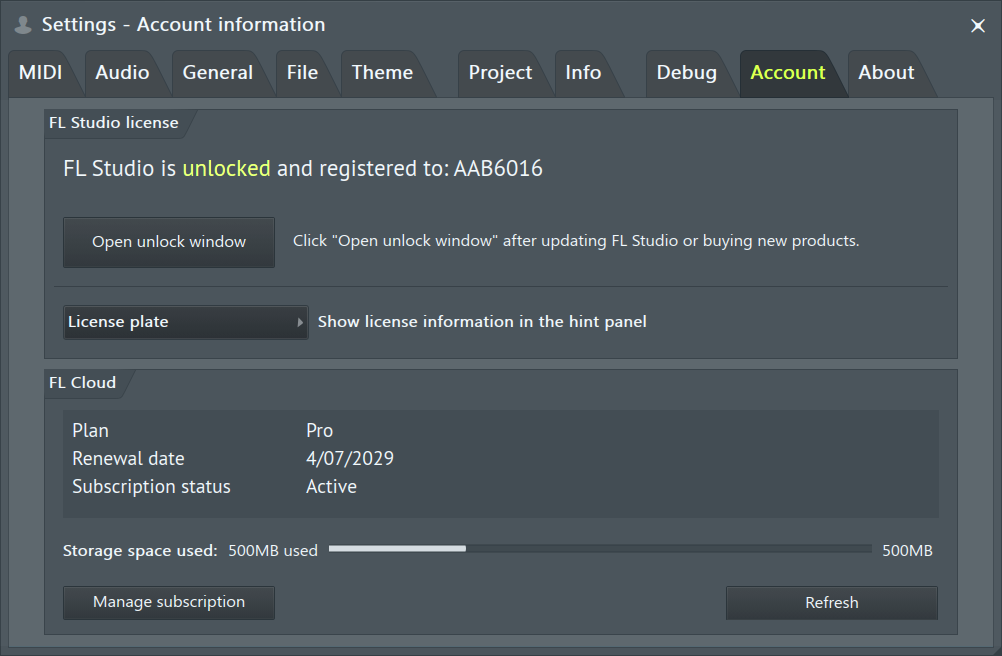
FL Studio License
All purchases of FL Studio include Lifetime Free Updates. Nothing more to pay, ever. Enjoy!
- Open unlock window - Enter your Image-Line Account email and password to Unlock FL Studio and any additional plugins/products you own. NOTE: Requires internet access.
- Show licence information in the hint panel - User name, shows your account user name. License plate shows a 7 character license. The User license ID includes three letters followed by four numbers (e.g., ABC1234). The purpose is to protect your online privacy when using FL Studio in public, such as online videos if this concerns you. The license ID is not based on any personally identifiable information and so can't be reverse-engineered to reveal any details about you. In other words, it's just a number.
FL Cloud
FL Cloud is a suite of online content and services - Samples, Plugins, AI Mastering, and Music Distribution that complements FL Studio and expands what you can create. Every FL Studio purchase includes free access to selected FL Cloud features, such as a curated library of sounds and essential plugins, basic mastering etc. Annual or Monthly subscriptions unlock the full experience, giving you a larger sound library, more plugins, unlimited AI mastering, and additional distribution tools to support your releases. You can read more about the difference between FL Cloud free vs subscriptions here.
- Storage space used – Shows how much FL Cloud storage you're currently using. If you reach your storage limit, you can upgrade your FL Cloud subscription for additional space. Back up projects to FL Cloud using File (menu) > Save and back up to FL Cloud.
- Manage Subscription - Opens your Image Line Account page to the FL Cloud subscriptions section. All FL Studio licenses include access to FL Cloud Free Mode (a range of services and sounds) If you are not signed in, this will show:
- Subscribe to FL Cloud - Click the 'Manage Subscription' button. This will take you to your account page where you can select a plan and subscribe.